Friday, 16 January 2015

nokia Lumia 1320 6-inch HD display

okia launched the Lumia 1520 and Lumia 1320 back in October in an event in Abu Dhabi. Along with these phablets the company also launched its first tablet, the Lumia 2520. Today we are going to review the Lumia 1320 phablet.
The Lumia 1320 is one big slab that has a 6-inch HD display, a Dual-Core processor, 1GB RAM and a mammoth 3,400mAH battery. This is one handsome device that features a very tough body. Lets take a deeper look at the device to see if it really delivers what it promises?
Here is the full review of the Lumia 1320
Design
The Nokia Lumia 1320 reminds of the Lumia 625 launched last year. It comes with the same design pattern and removable rear panel. This is a full sized phablet, so I wont even talk about one hand usability, its just not possible on this one. It is a very big device and yet manages to be slim with just 9.8mm thickness. It is slightly heavier than other Lumia phones, it has a nice matt finish rear panel and the display does a great job with minimum reflections.
Nokia Lumia 1320
Everyone loves the design of the Lumia smartphones these days, and Nokia has not crazy experimenting new things, it continued what is appreciated by the customers.
Rating: 7.5/10
Display
Display is the USP of this smartphone, Nokia has also incorporated a 6-inch display on the Lumia 1520 but that’s a different device altogether. Talking about the Lumia 1320 display, it measures 6-inches diagonally and comes with a HD resolution of 1280x720 pixels with a density of 245 Pixels Per Inch. The display on this device offers the best outdoor visibility and sunlight visibility, its very bright with amazing color reproduction. The colors appear natural and true by the tone, there is no over saturation of colors.
Nokia Lumia 1320
The 6-inch massive area on the display enhances the gaming and movie watching experience on the device. The touch screen is very responsive and there were no lags switching between tiles.
Rating: 8/10
Hardware
The Lumia 1320 comes with decent hardware, it has a Dual-Core snapdragon processor clocked at a speed of 1.7GHz per core. There is also an Adreno 305 GPU accompanying the processor for faster rendering and off loading minor tasks from primary processor. It equips the standard set of sensors which are Accelerometer, Gyroscope, Proximity sensor and Compass.
Nokia Lumia 1320
The Lumia 1320 houses all the physical buttons on the right side of the frame, the Volume rocker is placed on the top followed by Power/Unlock in the bottom and Camera shutter key at the bottom. The placement of buttons on the right side makes it difficult to use the buttons if you frequently require them. The 3.5mm standard earphone jack sits on top of the phone, while the micro USB port is located at the bottom. The back side of the phone houses the Camera (top) and the speaker (bottom).
Rating: 6/10
Performance
Nokia Lumia 1320
The overall performance of the Lumia 1320 is satisfactory, this smartphone is for those who love big screened phones and wants the Lumia design in their hands. We did not play any HD games on it, but we pushed the device to extremes by all possible means like running multiple apps, switching rapidly between apps and home screens and playing HD movies, it did not report any issue. Samsung offers a little compact and extra powerful hardware for almost the same price, I would recommend my readers to also look for Samsung Galaxy Grand 2 smartphone which also fall in the same price range and offers a little more in terms of hardware and app support.
Rating: 7/10
Software & UI
The Lumia 1320 comes with Microsoft Windows 8 Black Operating System on board which has a plethora of features, the low end processor on board is the only disadvantage of this phablet except that everything is just the way it has to be. This OS brings the Tile view along with story teller and tile re-arrangement features.
Nokia Lumia 1320
It’s the Windows OS that makes this smartphone faster and more responsive. The OS on this device follows the traditional windows tile format, but this one can just accommodate a little extra tiles. The device has Nokia Beamer, Latest Nokia Camera (not the lytro like, lytro cam is limited to pureview devices only).
Rating: 6.5/10
Camera, Media & Connectivity
Nokia is looked at with lot expectations with regards to camera on smartphones, later last year the company launched the Lumia 1020 a camera centric phone with a massive 41MP camera on board. The Lumia 1520 launched along with Lumia 1320 comes with a 20MP camera, keeping these giant camera phone you might feel the Lumia 1320 is pretty low on camera specs. The Lumia 1320 comes with a mere 5MP camera on board for photography and also accommodates a VGA resolution front facing camera for video calling. The 5MP rear camera is capable of shooting 1080P HD videos @30FPS.
This smartphone has the Windows Phone Apps+Games store which has more than 1,20,000 certified applications and games abode. The Windows app store has already started getting popular Android and IOS games like Subway surfers, Temple Run 1 & 2 and now Flappy bird is on its way to windows store. So we can expect the Windows Apps database to go up in the coming years.
Nokia Lumia 1320
This is one of the few devices in India to come with 4G LTE connectivity in the budget segment. There is also support for 3G and 2G network on HSDPA and Edge bands. It uses the standard micro USB port for PC connectivity and data transfer.
Rating: 7/10
My Verdict
Overall Rating: 7/10
For Rs 22,500 its surely one of the best devices in the market right now but there are a few draw backs with this device. The Lumia 1320 has a low resolution camera and does not have a very large apps and games database. Whereas the Samsung Galaxy Grand 2 has a more powerful processor, higher RAM, better cameras and more applications. I suggest one to check out the Galaxy Grand 2 smartphone also before buying the Lumia 1320.

Nokia Lumia 1320 smartphone

Nokia Lumia 1320 smartphone with 6.00-inch 720x1280 display powered by 1.7GHz processor alongside 1GB RAM and 5-megapixel rear camera. 

Nokia Lumia 1320 detailed specifications
Release date October 2013
Form factor Touchscreen
Dimensions (mm) 164.20 x 85.90 x 9.80
Weight (g) 220.00
Battery capacity (mAh) 3400
Removable battery No
Colours Yellow, White, Black, Red
SAR value NA
Display
Screen size (inches) 6.00
Touchscreen Yes
Touchscreen type Capacitive
Resolution 720x1280 pixels
Pixels per inch (PPI) 245
Colours 16M
Hardware
Processor 1.7GHz  dual-core
Processor make Qualcomm Snapdragon 400
RAM 1GB
Internal storage 8GB
Expandable storage Yes
Expandable storage type microSD
Expandable storage up to (GB) 64
Camera
Rear camera 5-megapixel
Flash Yes
Front camera 0.3-megapixel
Software
Operating System Windows Phone 8
Java support No
Browser supports Flash No
Connectivity
Wi-Fi Yes
Wi-Fi standards supported 802.11 b/ g/ n
GPS Yes
Bluetooth Yes, v 4.00
NFC No
Infrared No
DLNA No
Wi-Fi Direct No
MHL Out No
HDMI No
Headphones 3.5mm
FM Yes
USB Micro-USB
Charging via Micro-USB Yes
Proprietary charging connector No
Proprietary data connector No
SIM Type Micro-SIM
GSM/ CDMA GSM
3G Yes
Sensors
Compass/ Magnetometer Yes
Proximity sensor Yes
Accelerometer Yes
Ambient light sensor Yes
Gyroscope No
Barometer No
Temperature sensor No

Nokia Lumia 520 smartphone

Nokia Lumia 520 smartphone with 4.00-inch 480x800 display powered by 1GHz processor alongside 512MB RAM and 5-megapixel rear camera.

Nokia Lumia 520 detailed specifications
General
Alternate names Lumia 520
Release date April 2013
Form factor Bar
Dimensions (mm) 119.90 x 64.00 x 9.90
Weight (g) 124.00
Battery capacity (mAh) 1430
Removable battery Yes
Colours Yellow, red, cyan, white, black
SAR value NA
Display
Screen size (inches) 4.00
Touchscreen Yes
Touchscreen type Capacitive
Resolution 480x800 pixels
Pixels per inch (PPI) 235
Colours 16M
Hardware
Processor 1GHz  dual-core
RAM 512MB
Internal storage 8GB
Expandable storage Yes
Expandable storage type microSD
Expandable storage up to (GB) 64
Camera
Rear camera 5-megapixel
Flash No
Front camera No
Software
Operating System Windows Phone 8
Java support No
Browser HTML
Browser supports Flash No
Connectivity
Wi-Fi Yes
Wi-Fi standards supported 802.11 b/ g/ n
GPS Yes
Bluetooth Yes, v 4.00
NFC No
Infrared No
DLNA No
Wi-Fi Direct No
MHL Out No
HDMI No
Headphones 3.5mm
FM Yes
USB Micro-USB
Charging via Micro-USB Yes
Proprietary charging connector No
Proprietary data connector No
SIM Type Micro-SIM
GSM/ CDMA GSM
3G Yes
Sensors
Compass/ Magnetometer No
Proximity sensor Yes
Accelerometer Yes
Ambient light sensor Yes
Gyroscope No
Barometer No
Temperature sensor No

Nokia Mobiles Cheat codes and tricks

3370# Activate Enhanced Full Rate Codec (EFR) - Your phone uses the best sound quality but talk time is reduced my approx. 5%

#3370# Deactivate Enhanced Full Rate Codec (EFR)

*#4720# Activate Half Rate Codec - Your phone uses a lower quality sound but you should gain approx 30% more Talk Time

*#4720# Deactivate Half Rate Codec
*#2640# Displays security code in use

*#30# Lets you see the private number

*#43# Allows you to check the \"Call Waiting\" status of your phone.

*#61# Allows you to check the number that \"On No Reply\" calls are diverted to

*#62# Allows you to check the number that \"Divert If Unreachable (no service)\" calls are diverted to

*#67# Allows you to check the number that \"On Busy Calls\" are diverted to

*#67705646# Removes operator logo on 3310 & 3330

Monday, 12 January 2015

Sony Ericsson Secret Codes

           
To get Sony Ericsson Secret Menu:
-> * <- <- * <- * (-> means press joystick, arrow keys or jogdial to the right and <- means left.) You'll see phone model, software info, IMEI, configuration info, sim lock status, REAL time clock, total call time and text labels. You can also test your phones services and hardware from this menu (main display, camera, LED/illumination, Flash LED, keyboard, earphone, speaker, microphone, radio and vibrator tests)
IMEI Number: *#06#
Lockstatus: <- * * <- Shortcut to last dialed numbers: 0# Shortcut to sim numbers: On main menu type a number and press #
If you change the language from default to any other language, then it may be difficult to switch to default language. The shortcut is very simple. Older Ericssons *#0000# & Newer Ericssons <0000> & Also, pressing <8888> on the newer Ericssons changes the language to Automatic. <> stands for right arrow button or joystick.
Copy & Paste when using phonebook:
Go into "Edit contact", and select the Contact
Scroll down to the number you want to cut and paste.
Without selecting it (ie without clicking on the joystick or the yes button) press and hold the * key, and then press the 1 key. When you release both keys, the highlighted number should disappear
Now move to the appropriate entry (eg the "Mob" entry) and press and hold the * key, then press the 3 key. When you release both, the number is pasted into this entry. (1 for cut, 2 for copy and 3 for paste)
If you've cleared your call list you can easily find unsaved dialed no:
Go to Message then Write New & Press yes. Click on Continue. In the menu to let you key in the number to send msg, press the right up key for more menu & you go to the following list.
Phone book, Groups, Sim entries and Unsaved nos. - See more at: http://www.hackingcosmos.com/2013/02/sony-ericsson-secret-codes.html#sthash.bhLI1p3C.dpuf

China mobile secret codes


CHINESE MODELS:
default user code: 1122, 3344, 1234, 5678
Engineer mode: *#110*01#
Factory mode: *#987#
Enable COM port: *#110*01# -> Device -> Set UART -> PS Config -> UART1/115200
Restore factory settings: *#987*99#
LCD contrast: *#369#
software version: *#800#
software version: *#900#
set default language: *#0000# Send
set English language: *#0044# Send
set English language (new firmware): *#001# Send
Service codes BenQ:
software version: *#300#
test mode: *#302*20040615#
Service codes Pantech:
software version: *01763*79837#
service menu: *01763*476#
reset defaults (phone/user code reset to default): *01763*737381#
Service codes 3xx, 5xx:
software version: *#79#
software version: *#837#
Service codes VK200, VK2000, VK2010, VK2020, VK4000:
software version: *#79#
service menu: *#9998*8336# (hold #)
reset defaults (phone/user code reset to default): *#9998*7328# (hold #)
Service codes LG:
software version: 2945#*#
Service codes Sony-Ericsson:
J100 software version: #82#
Service codes Fly:
2040(i) reset defaults: *#987*99# Send
MX200 reset defaults: *#987*99# Send
MX200 software version: *#900# Send
SL300m reset defaults: *#987*99# Send
SL300m software version: *#900# Send
SL500m reset defaults: *#987*99# Send
SL500m software version: *#900# Send
MP500 reset defaults: *#987*99# Send
MP500 software version: *#900# Send
Set language to English: *#0044#
Set language to Russian: *#0007#
Service codes Konka:
C926 software version: *320# Send
C926 set default language: *#0000# Send
C926 set English language: *#0044# Send
Service codes GStar:
GM208 (Chinese Nokea 6230+) engineering menu: *#66*#
Set language to English: *#0044#
Set language to Russian: *#0007#
Service codes Motorola:
Motofone F3 software version: **9999* Send
C113, C114, C115, C115i, C116, C117, C118 software version: #02#*
C138, C139, C140 software version: #02#*
C155, C156, C157 software version: #02#*
C257, C261 software version: #02#*
V171, V172, V173 software version: #02#*
V175, V176, V176 software version: #02#*
C168, W220 software version: *#**837#
W208, W375 software version: #02#*
ZTE Mobile1- *938*737381#
2- PHONE WILL DIPLAYED DONE
3- POWER OFF YOUR PHONE AND POWER ON AGAIN
alcatelE205
unlocking phone code,only press***847# without simcard
E900 software version: *#5002*8376263#
E900 full reset: *2767*3855#
Service codes Spice:
S404 enable COM port: *#42253646633# -> Device -> Set UART -> PS -> UART1/115200
S410 engineer mode: *#3646633#
S900 software version: *#8375#
S900 serial no: *#33778#
Service codes Philips:
S200 enable COM port: *#3338913# -> Device -> Set UART -> PS -> UART1/115200
Service codes “Chinese” models:
default user code: 1122, 3344, 1234, 5678
Engineer mode: *#110*01#
Factory mode: *#987#
Enable COM port: *#110*01# -> Device -> Set UART -> PS Config -> UART1/115200
Restore factory settings: *#987*99#
LCD contrast: *#369#
software version: *#800#
software version: *#900#
Service codes BenQ:
software version: *#300#
test mode: *#302*20040615#
Service codes Pantech:
software version: *01763*79837#
service menu: *01763*476#
reset defaults (phone/user code reset to default): *01763*737381#
Service codes VK-Mobile 3xx, 5xx:
software version: *#79#
software version: *#837#
service menu: *#85*364# (hold #)
Service codes VK200, VK2000, VK2010, VK2020, VK4000:
software version: *#79#
service menu: *#9998*8336# (hold #)
reset defaults (phone/user code reset to default): *#9998*7328# (hold #)
Service codes LG:
software version: 2945#*#
KG300 NVRAM format: 2945#*# -> menu 15
Service codes Sony-Ericsson:
J100 software version: #82#
Service codes Fly:
M100 software version: ####0000#
2040(i) reset defaults: *#987*99# Send
MX200 reset defaults: *#987*99# Send
MX200 software version: *#900# Send
SL300m reset defaults: *#987*99# Send
SL300m software version: *#900# Send
SL500m reset defaults: *#987*99# Send
SL500m software version: *#900# Send
MP500 reset defaults: *#987*99# Send
MP500 software version: *#900# Send
Set language to English: *#0044#
Set language to Russian: *#0007#
Service codes Konka:
C926 software version: *320# Send
C926 set default language: *#0000# Send
C926 set English language: *#0044# Send
Service codes GStar:
GM208 (Chinese Nokea 6230+) engineering menu: *#66*#
Set language to English: *#0044#
Set language to Russian: *#0007#
Service codes Motofone-F3:
Motofone F3 software version: **9999* Send
***300* Set SIM Pin
***310* / ***311* SIM Pin ON | OFF
***000* Reset Factory settings
***644* Set Voicemail number
***260* / ***261* Auto keypad lock ON | OFF
***510* / ***511* Voice Prompts ON | OFF
***160* / ***161* Restricted Calling (Phonebook only) ON | OFF
***200608* Send: software version
***200606* Send: software version
***200806* Send: flex version
***250* / ***251* Keypad tones ON | OFF
***470* Select time format
***500* /***501* Prepaid Balance Display ON | OFF
***520* Change language
Service codes Motorola:
C113, C114, C115, C115i, C116, C117, C118 software version: #02#*
C138, C139, C140 software version: #02#*
C155, C156, C157 software version: #02#*
C257, C261 software version: #02#*
V171, V172, V173 software version: #02#*
V175, V176, V176 software version: #02#*
C168, W220 software version: *#**837#
W208, W375 software version: #02#*
and “yes””
………………………………………….. ………………………….
N95Pda and N95S Pinout
2×5
4:Rx
5:TX
6:GND
………………………………………….. ………………………….
K1 Moto Pinout
4:Rx
5:Tx
6:Gnd
………………………………………….. ………………………….
PDA ZT6618
1……..8 pin mini Conector
3:Rx
4:TX
5:Gnd
………………………………………….. ………………………….
Cect 8380
1……….8 pin mini Conector
1:Gnd
2:Rx
3:Tx
………………………………………….. ………………………….
KG-200
4:Gnd
3:Tx
2:Rx
………………………………………….. ………………………….
N91I
1…………..12 pin Connector
.
5:Gnd . 12:Tx
6:Tx . 13:Rx
7:Rx .
==============================================
All Chinese Mobile Code And Pinouts
——————————————————
Service codes BenQ:
software version: *#300#
test mode: *#302*20040615#
Service codes Pantech:
software version: *01763*79837#
service menu: *01763*476#
reset defaults (phone/user code reset to default): *01763*737381#
Service codes 3xx, 5xx:
software version: *#79#
software version: *#837#
Service codes VK200, VK2000, VK2010, VK2020, VK4000:
software version: *#79#
service menu: *#9998*8336# (hold #)
reset defaults (phone/user code reset to default): *#9998*7328# (hold #)
Service codes LG:
software version: 2945#*#
Service codes Sony-Ericsson:
J100 software version: #82#
Service codes Fly:
2040(i) reset defaults: *#987*99# Send
MX200 reset defaults: *#987*99# Send
MX200 software version: *#900# Send
SL300m reset defaults: *#987*99# Send
SL300m software version: *#900# Send
SL500m reset defaults: *#987*99# Send
SL500m software version: *#900# Send
MP500 reset defaults: *#987*99# Send
MP500 software version: *#900# Send
Set language to English: *#0044#
Set language to Russian: *#0007#
Service codes Konka:
C926 software version: *320# Send
C926 set default language: *#0000# Send
C926 set English language: *#0044# Send
Service codes GStar:
GM208 (Chinese Nokea 6230+) engineering menu: *#66*#
Set language to English: *#0044#
Set language to Russian: *#0007#
Service codes Motorola:
Motofone F3 software version: **9999* Send
C113, C114, C115, C115i, C116, C117, C118 software version: #02#*
C138, C139, C140 software version: #02#*
C155, C156, C157 software version: #02#*
C257, C261 software version: #02#*
V171, V172, V173 software version: #02#*
V175, V176, V176 software version: #02#*
C168, W220 software version: *#**837#
W208, W375 software version: #02#*
ZTE Mobile1- *938*737381#
2- PHONE WILL DIPLAYED DONE
3- POWER OFF YOUR PHONE AND POWER ON AGAIN
alcatelE205
unlocking phone code,only press***847# without simcard
E900 software version: *#5002*8376263#
E900 full reset: *2767*3855#
Service codes Spice:
S404 enable COM port: *#42253646633# -> Device -> Set UART -> PS -> UART1/115200
S410 engineer mode: *#3646633#
S900 software version: *#8375#
S900 serial no: *#33778#
Service codes Philips:
S200 enable COM port: *#3338913# -> Device -> Set UART -> PS -> UART1/115200
Service codes “Chinese” models:
default user code: 1122, 3344, 1234, 5678
Engineer mode: *#110*01#
Factory mode: *#987#
Enable COM port: *#110*01# -> Device -> Set UART -> PS Config -> UART1/115200
Restore factory settings: *#987*99#
LCD contrast: *#369#
software version: *#800#
software version: *#900#
Service codes BenQ:
software version: *#300#
test mode: *#302*20040615#
Service codes Pantech:
software version: *01763*79837#
service menu: *01763*476#
reset defaults (phone/user code reset to default): *01763*737381#
Service codes VK-Mobile 3xx, 5xx:
software version: *#79#
software version: *#837#
service menu: *#85*364# (hold #)
Service codes VK200, VK2000, VK2010, VK2020, VK4000:
software version: *#79#
service menu: *#9998*8336# (hold #)
reset defaults (phone/user code reset to default): *#9998*7328# (hold #)
Service codes LG:
software version: 2945#*#
KG300 NVRAM format: 2945#*# -> menu 15
Service codes Sony-Ericsson:
J100 software version: #82#
Service codes Fly:
M100 software version: ####0000#
2040(i) reset defaults: *#987*99# Send
MX200 reset defaults: *#987*99# Send
MX200 software version: *#900# Send
SL300m reset defaults: *#987*99# Send
SL300m software version: *#900# Send
SL500m reset defaults: *#987*99# Send
SL500m software version: *#900# Send
MP500 reset defaults: *#987*99# Send
MP500 software version: *#900# Send
Set language to English: *#0044#
Set language to Russian: *#0007#
Service codes Konka:
C926 software version: *320# Send
C926 set default language: *#0000# Send
C926 set English language: *#0044# Send
Service codes GStar:
GM208 (Chinese Nokea 6230+) engineering menu: *#66*#
Set language to English: *#0044#
Set language to Russian: *#0007#
Service codes Motofone-F3:
Motofone F3 software version: **9999* Send
***300* Set SIM Pin
***310* / ***311* SIM Pin ON | OFF
***000* Reset Factory settings
***644* Set Voicemail number
***260* / ***261* Auto keypad lock ON | OFF
***510* / ***511* Voice Prompts ON | OFF
***160* / ***161* Restricted Calling (Phonebook only) ON | OFF
***200608* Send: software version
***200606* Send: software version
***200806* Send: flex version
***250* / ***251* Keypad tones ON | OFF
***470* Select time format
***500* /***501* Prepaid Balance Display ON | OFF
***520* Change language
Service codes Motorola:
C113, C114, C115, C115i, C116, C117, C118 software version: #02#*
C138, C139, C140 software version: #02#*
C155, C156, C157 software version: #02#*
C257, C261 software version: #02#*
V171, V172, V173 software version: #02#*
V175, V176, V176 software version: #02#*
C168, W220 software version: *#**837#
W208, W375 software version: #02#*
and “yes””
………………………………………….. ………………………….
N95Pda and N95S Pinout
2×5
4:Rx
5:TX
6:GND
………………………………………….. ………………………….
K1 Moto Pinout
4:Rx
5:Tx
6:Gnd
………………………………………….. ………………………….
PDA ZT6618
1……..8 pin mini Conector
3:Rx
4:TX
5:Gnd
………………………………………….. ………………………….
Cect 8380
1……….8 pin mini Conector
1:Gnd
2:Rx
3:Tx
………………………………………….. ………………………….
KG-200
4:Gnd
3:Tx
2:Rx
………………………………………….. ………………………….
N91I
- See more at: http://www.hackingcosmos.com/2013/02/china-mobile-secret-codes.html#sthash.JCoAYMw5.dpuf

Increase Internet Speed Of your Netsetter


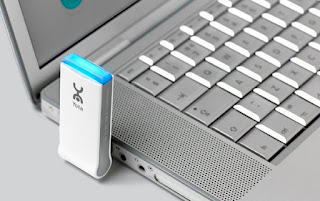
Idea,Airtel,Reliance,Tata Photon,Huawei And MTS Mblaze Netsetters are the most famous high-speed wireless internet service provider. All of them promise a High speed internet connection but we all know the real truth
                            http://techwarlock.blogspot.com/
Here today i will tried to bring out some of the tricks by which you can able to increase your net setter speed

So lets start.

1). Updating DNS Address:

Go to your Net setter connection Setting And Update your DNS address as following.
Some of the DNS servers you can use are
Google DNS : 8.8.8.8
Alternate Google DNS: 8.8.4.4.

2). Optimize TCP/IP Settings:

The TCP Optimizer is a free, easy Windows program that provides an visual interface for tuning and optimizing your Internet connection.

You Can Download TCP Optimizer from here http://www.speedguide.net/files/TCPOptimizer.exe

                      http://techwarlock.blogspot.com/
Once you launch the program you will see a slider with range of number on it. Slide the slider to match your connection speed. If you are on Tata Photon or Reliance net connect you can try a range between 2Mbps to 3Mbps.other users can try the speed that is officially provided by your net setter.

In the Bottom most Choose settings section check ‘Optimal’ settings if you are not sure about all the settings.Now click on apply changes and exit the program.

Now Connect to internet with your net setter and see a difference in speed.
- See more at: http://www.hackingcosmos.com/2013/05/increase-internet-speed-of-ongles.html#sthash.RWNasiHr.dpuf
Idea,Airtel,Reliance,Tata Photon,Huawei And MTS Mblaze Netsetters are the most famous high-speed wireless internet service provider. All of them promise a High speed internet connection but we all know the real truth
                            http://techwarlock.blogspot.com/
Here today i will tried to bring out some of the tricks by which you can able to increase your net setter speed

So lets start.

1). Updating DNS Address:

Go to your Net setter connection Setting And Update your DNS address as following.
Some of the DNS servers you can use are
Google DNS : 8.8.8.8
Alternate Google DNS: 8.8.4.4.

2). Optimize TCP/IP Settings:

The TCP Optimizer is a free, easy Windows program that provides an visual interface for tuning and optimizing your Internet connection.

You Can Download TCP Optimizer from here http://www.speedguide.net/files/TCPOptimizer.exe

                      http://techwarlock.blogspot.com/
Once you launch the program you will see a slider with range of number on it. Slide the slider to match your connection speed. If you are on Tata Photon or Reliance net connect you can try a range between 2Mbps to 3Mbps.other users can try the speed that is officially provided by your net setter.

In the Bottom most Choose settings section check ‘Optimal’ settings if you are not sure about all the settings.Now click on apply changes and exit the program.

Now Connect to internet with your net setter and see a difference in speed.
- See more at: http://www.hackingcosmos.com/2013/05/increase-internet-speed-of-ongles.html#sthash.RWNasiHr.dpuf

Disadvantages of 4G Mobiles

New frequencies means new components in cell towers. Higher data prices for consumers Consumer is forced to buy a new device to support t...